
Poach · iOS & Android
Never lose
a recipe.
Grab recipes from the web, TikTok, or Instagram. Find it, cook it.
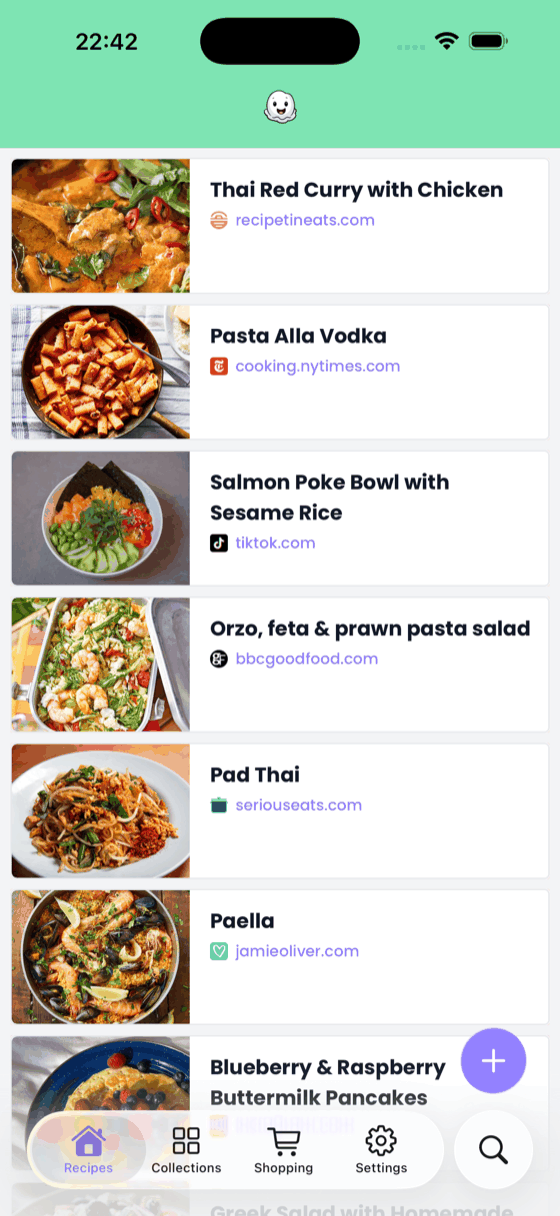
What it does
Recipes get lost in bookmarks, screenshots and saved posts. Poach keeps them all in one place — organised and ready when you are. Share a link and Poach reads the page, or the video, and pulls out the title, the ingredients and the steps. No copying, no retyping, no scrolling past someone’s childhood memories to find the oven temperature.
How it works
- 1Share to PoachFind a recipe on the web or social, hit share, and save it to Poach in seconds.
- 2Organise into collectionsGroup recipes into collections and tags so you can find them when it is time to cook.
- 3Search & cookQuickly find any recipe, even offline. Your collection is always with you.
Save from anywhere you find recipes
Any recipe website, TikTok, Instagram, YouTube — or a screenshot, or a photo of a page in a cookbook. Whatever the source, every recipe lands in the same clean format: title, photo, ingredients, steps. Nothing else.
It works when your kitchen doesn’t have signal
Saved recipes are available offline and sync across your devices. No account is needed to start, and the free tier is a real one — upgrade to Premium when you want unlimited recipes, more collections and the ability to edit anything you have saved.
What people say
“Love the simplicity of this app making sense of all my recipe bookmarks and sites. It’s so good having them in one place, easy to access and displayed consistently.”
“This app will store all your favourite and new recipes at the touch of a button and removes all the website chaff that you don’t need.”
More
Poach has a home of its own at poachapp.com — guides, the changelog and the app’s privacy policy live there.
Questions, problems or feedback about Poach: support@poachapp.com.